Blog
Your website is visible to AI. But can an AI agent actually use it?
· 8 min read · by Zakarya Chami
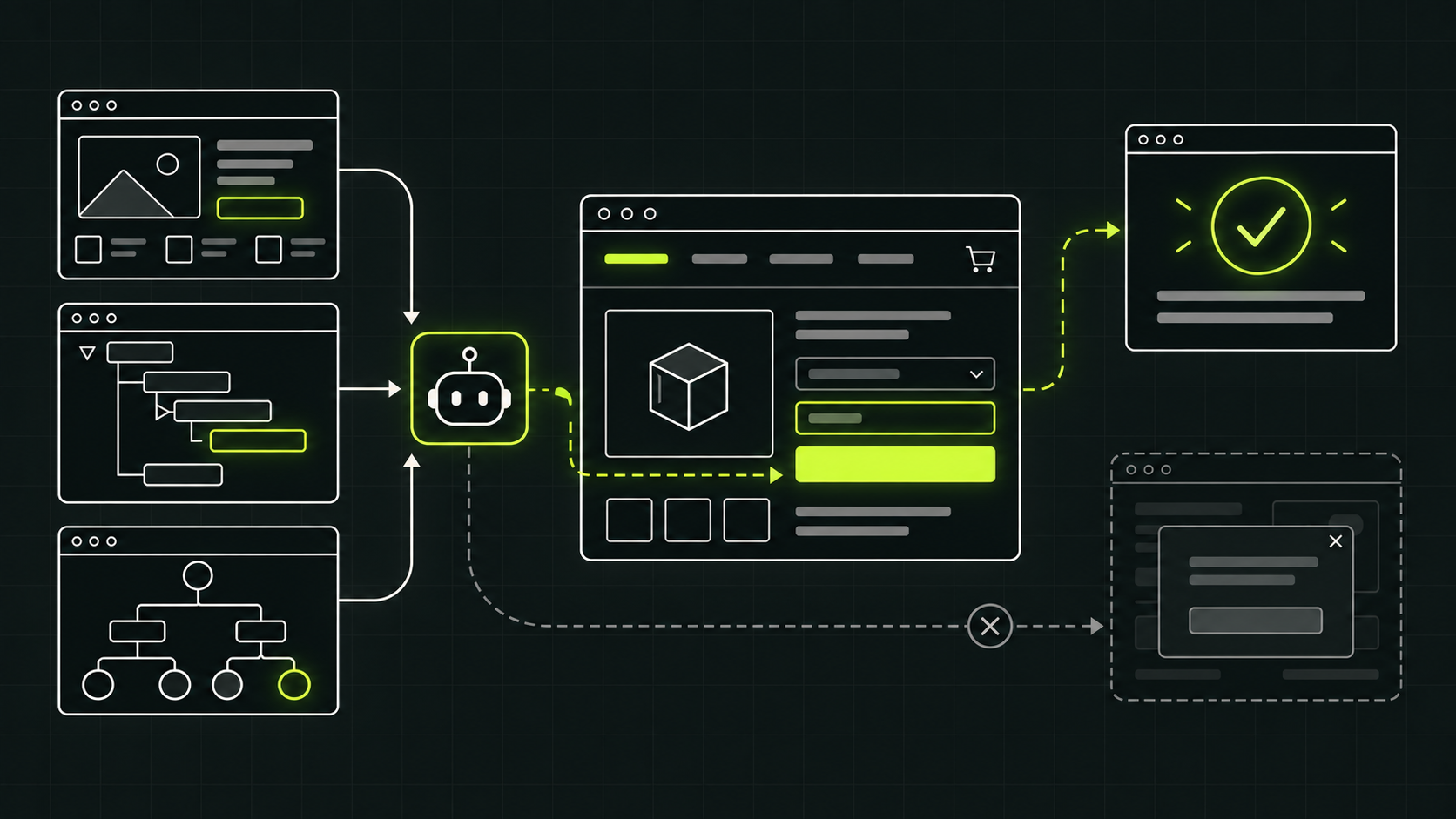
Being visible in an AI answer is only the first half of the journey. The next visitor may not arrive to read a page and click around manually. A person may ask an AI agent to compare products, find an appointment, complete a form or prepare a purchase. Your site can be easy to cite and still be impossible for that agent to use.
This is not a reason to redesign the web for robots. It is a reason to finish the accessibility and semantic work that many sites postponed. The same clear labels, native controls and stable layouts that help people use a site also give browser agents a more reliable map of what the site does.
Discovery, understanding and action are three different tests
A useful way to assess an AI-facing website is to separate three stages:
- Can the engine discover the page? Crawlers need access to public content, links and readable HTML. This is the familiar SEO and GEO layer.
- Can the system understand the offer? The page needs clear, verifiable information about the product, service, price, location, limitations and evidence.
- Can an agent complete the user's task? Buttons, menus, fields, validation and confirmation states must expose what they are and what will happen next.
A citation tests the first two stages. It does not prove the third. An assistant may accurately recommend a hotel whose booking calendar it cannot operate, or a consultancy whose contact form has no accessible labels.
An agent does not see one version of your page
Google's web.dev guidance describes three main representations available to current browser agents: the screenshot, the HTML document and the accessibility tree. Each answers a different question.
- The screenshot shows visual importance. Size, position, contrast and grouping help identify a search box, a primary action or a warning. But visual analysis is a slower fallback when the structure is unclear.
- The HTML shows relationships. A native button inside a product card communicates more than a styled rectangle that happens to respond to a click.
- The accessibility tree shows purpose and state. Roles, names and states tell assistive technology and agents that a control is a menu, a checkbox, a selected option or an invalid field.
OpenAI gives a concrete example: its current publisher and developer guidance says ChatGPT Agent in Atlas uses ARIA labels and roles to interpret page structure and interactive elements. Descriptive roles, labels and states help it recognize buttons, menus and forms more accurately.
Five design shortcuts that break the journey
- A clickable box that is not a real button. A styled
divmay look obvious to a person with a pointer. It does not automatically expose button semantics, keyboard behavior or an accessible name. Use a nativebuttonoraelement when that is what the control is. - A field that relies on placeholder text.When the placeholder disappears, the user and the agent can lose the field's purpose. Associate a persistent
labelwith every input and expose instructions and errors programmatically. - A changing layout that moves the target. Late banners, shifting cards and different action positions across similar pages make screenshot-based interaction less reliable. Reserve space and keep the main journey consistent.
- An overlay that hides the real control. Cookie layers, chat widgets and transparent elements can cover a button without making the blockage obvious in the document structure. Test the journey with all production overlays enabled.
- A result that exists only visually. A green border may tell a person that a field is valid, but the state remains ambiguous if the control does not expose it. The same applies to loading, expanded, selected, invalid and completed states.
Agent-friendly does not mean agent-authorized
Clear controls should not remove safeguards. A site can make a purchase flow understandable while still requiring the person to confirm payment, accept terms or approve a destructive action. Authentication, authorization, fraud controls and rate limits remain necessary.
The design goal is legibility, not silent autonomy. An agent should be able to identify the action, collect the information needed and explain the consequence. The user should retain control where consent or risk matters. Emerging interfaces such as WebMCP may eventually let websites publish explicit tools for supported agents, but web.dev marks that standard as active development. Native, accessible HTML is the durable starting point.
A practical agent-readiness check
Choose one real goal rather than scanning isolated components. For an adviser, that might be "find the right company-formation service and request a consultation." For ecommerce, it might be "compare two products, add one variant to the basket and reach the payment confirmation step."
Then test the journey in this order:
- Read the page without CSS. Is the hierarchy still logical, and are the important details present as text?
- Use only the keyboard. Can every control be reached, identified and operated in a sensible order?
- Inspect accessible names, roles and states. Browser developer tools expose the accessibility tree. Look for unnamed buttons, disconnected labels and state changes that never appear.
- Trigger errors and interruptions. Submit an incomplete form, open the menu, wait for a slow response and dismiss the cookie banner. Recovery is part of the journey.
- Verify the final confirmation. The interface should state what happened, what did not happen and what the user can do next.
Record failures as tasks, not as an abstract agent score: "Give the consultation field a persistent label" is actionable. "Become AI-ready" is not.
What this means for SEO and GEO
Do not turn accessibility into another ranking myth. Google says perfect semantic HTML is not required for its systems to understand a page, and accessible markup does not guarantee an AI citation. Its current generative AI guidance still prioritizes crawlability, technical clarity, helpful content and a good page experience.
The connection is operational. Search engines need to discover and interpret the information. Agents also need to interpret the interface. Clear HTML and accessibility reduce ambiguity at both layers while making the site better for people. That is a stronger business case than claiming a secret GEO boost.
Measure visibility first, then test the journey
Neoval's free auditchecks one domain's Google and ChatGPT visibility against five buyer prompts, including crawler access, citations and who appears instead. The paid audits and monitoring plans widen that evidence across prompts, engines and time.
Neoval does not currently certify that an AI agent can complete a booking, checkout or form journey. Treat that as a separate usability and accessibility test after discoverability. The future path is simple to state: become findable, become understandable, then make the action reliably usable.
Sources
- web.dev: Build agent-friendly websites, on screenshots, HTML, the accessibility tree and practical interface guidance.
- OpenAI: Publishers and Developers FAQ, on crawler access and how ChatGPT Agent in Atlas interprets accessible controls.
- Google's guide to optimizing for generative AI features on Search, on technical structure, semantic HTML and emerging agentic experiences.
- W3C: ARIA Authoring Practices Guide, on accessible names, roles, states and common interaction patterns.